5 rooms we redesigned with AI — honest before & after results
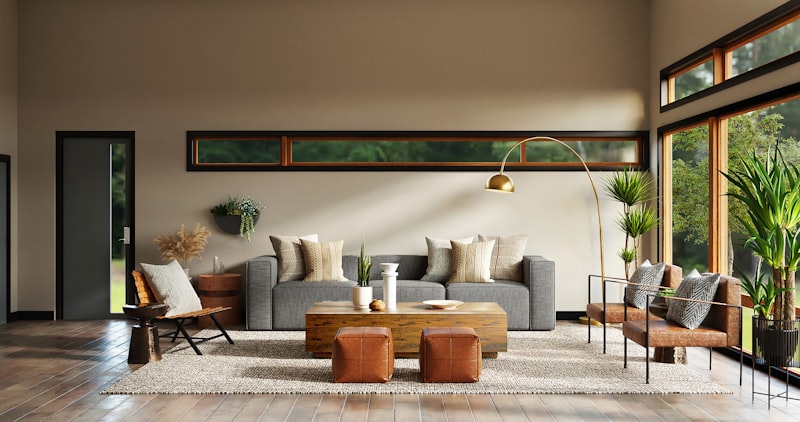
We keep hearing that AI will replace interior designers. Bold claim. So we grabbed five real room photos — messy, ugly, lived-in — and ran them through RoomFlip to see what happens.
Room 1: The beige living room
The original was painfully generic. Beige walls, beige couch, beige carpet. RoomFlip suggested a Scandinavian makeover with warm wood tones and a statement wall. The render looked surprisingly coherent — no floating furniture or impossible lighting.
Verdict: Would actually do this. The color palette alone was worth it.
Room 2: A cramped home office
8 square meters with a desk shoved against the wall. RoomFlip proposed a corner desk layout with vertical shelving. Smart use of space. One shelf clipped through the window in the render, but the overall concept was solid.
Verdict: 80% usable. Minor tweaks needed.
Room 3: Dated kitchen from the 90s
Oak cabinets, tile countertops, fluorescent lighting. The AI went modern — flat fronts, quartz counters, pendant lights. It kept the original layout, which matters because moving plumbing costs a fortune.
Verdict: The best result of the five. Practical and good-looking.
Room 4: Teenager's bedroom
Posters everywhere, mismatched furniture. RoomFlip generated a minimalist setup that no teenager would accept. When we specified "gaming room" as the style, it nailed it — RGB accents, dual monitor desk, proper cable management visualization.
Verdict: Style prompts matter. Be specific.
Room 5: Empty rental apartment
Blank walls, standard flooring. We wanted to see if AI could stage it for listing photos. The result looked like a real estate listing from a mid-range agency — which is exactly what we wanted.
Verdict: Perfect for landlords. Way cheaper than physical staging.
What we learned
AI interior design won't replace a human designer for complex renovations. But for quick inspiration, rental staging, or color exploration, RoomFlip delivers. Upload a photo, pick a style, get results in under a minute. The renders aren't flawless, but they're good enough to make real decisions from.
Need to convert your design mockups to different formats? FileTools handles image conversions without the usual bloatware.